Prep Planning

Data-driven prep lists that eliminate guesswork

Rinvy analyzes your burn rate and stock levels to recommend exactly what to prep and how many batches. Plan shifts, track execution, and record actual yield — all in one workflow.

Auto-generated prep recommendations

Rinvy looks at every recipe-output product in your kitchen, analyzes its burn rate over a configurable lookback period (7–90 days), checks current stock levels, and calculates exactly how many batches of each recipe you need to prep to last until your next prep day. One tap generates the entire list.

  • Burn rate calculated from actual inventory and receipt history
  • Configurable lookback period adapts to seasonal shifts
  • Factors in your restaurant's prep day schedule
Prep List
Tuesday Prep
Lookback: 14 days
DRAFT
House Marinara Sauce3 batches
Burn: 2.1 gal/dayStock: 1.8 gal
Burger Patties4 batches
Burn: 18/dayStock: 12 ea
Caramelized Onions2 batches
Burn: 1.5 lb/dayStock: 0.8 lb
Caesar Dressing1 batches
Burn: 0.8 gal/dayStock: 1.2 gal
Generate List

Adjust for what the data can't see

The recommendations are a starting point, not a mandate. Hosting a private event Saturday? Double the batch count for burger patties. Holiday weekend? Scale back on lunch salads. Managers can override any recommendation and add items that the algorithm didn't suggest.

  • Override any batch count with one tap
  • Add items manually for special circumstances
  • One active prep list per restaurant prevents confusion
Batch Recommendation
House Marinara Sauce
Yield: 4 gal per batch
1.8 gal
Current Stock
2.1/day
Burn Rate
0.9d
Days Left
Batch Count
3
5
Manager override
Private event Saturday
Covers through next prep day
Friday · 20 gal output
Fri

Staff execute, inventory updates

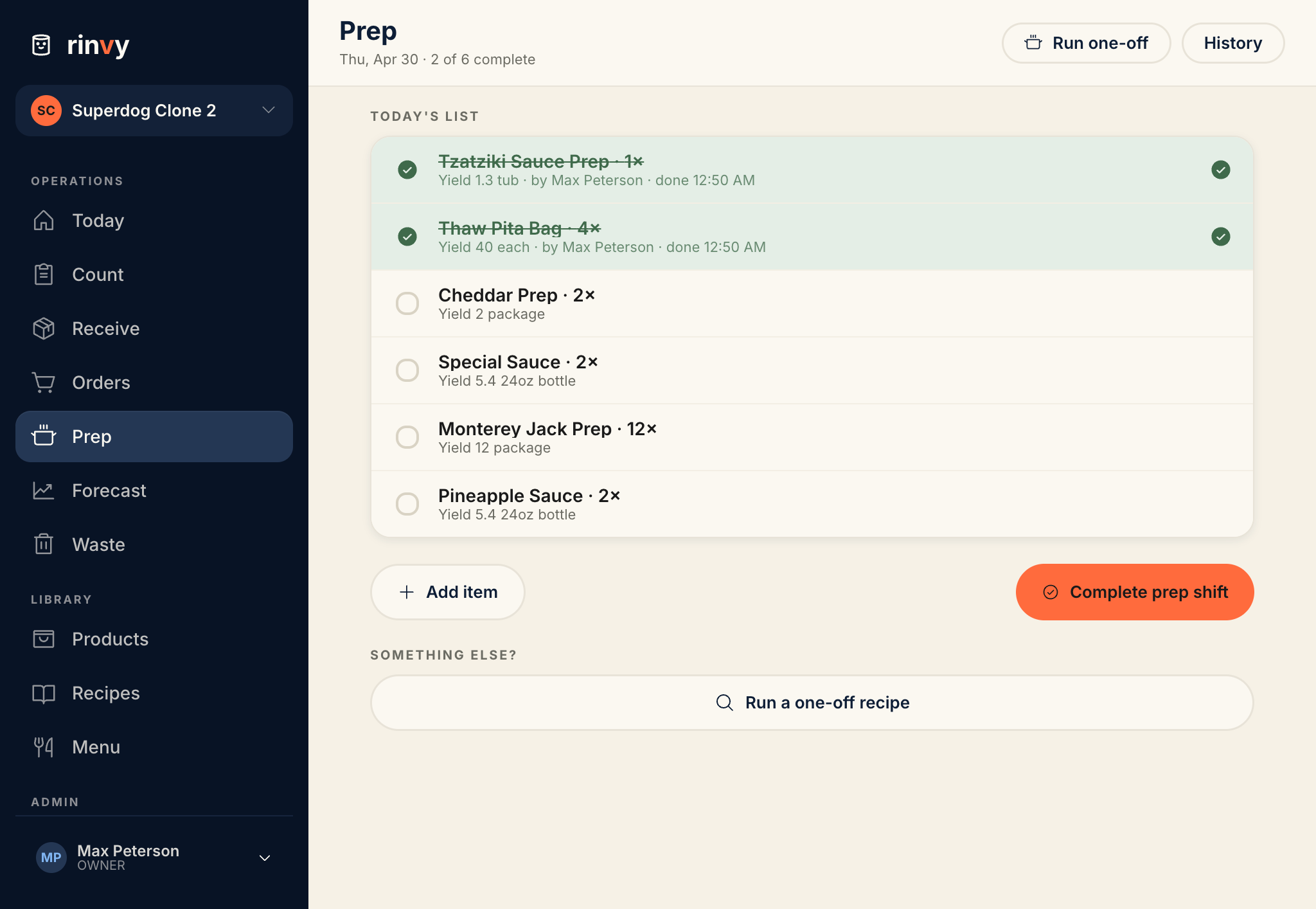
Once approved, staff see the prep list with assigned items. Tap an item to execute it — ingredients are deducted from inventory, the output product is added, and a prep log is created. If ingredients are low, Rinvy warns but doesn't block execution. Progress bars show shift completion at a glance.

  • Approve the list to unlock execution for staff
  • Ingredient validation warns about insufficient stock
  • Visual progress bars track shift completion
Shift Execution
APPROVED2 of 5 items done
House Marinara SauceDone
5 batches · 19.5 gal actual yield
Burger PattiesDone
Caramelized Onions2 batches
Execute
Caesar Dressing1 batch

Track actual yield vs expected

When staff execute a prep item, they record the actual yield. Did your cook get 3.5 gallons of marinara instead of the expected 4? That data feeds back into your reports, helping you identify training needs, recipe adjustments, or ingredient quality issues over time.

  • Record actual yield on every execution
  • Spot variance trends across batches and staff
  • Every execution timestamped and attributed to a user
Yield Tracking
House Marinara Sauce
Batch #5 completed
4 gal
Expected
3.5 gal
Actual
−12.5%
Variance
Recent Executions
Today3.5 gal−12.5%Alex R.
Feb 114.1 gal+2.5%Maria S.
Feb 83.9 gal−2.5%James K.
Feb 54.0 gal0%Maria S.

Complete history of every prep shift

Every prep list transitions from Draft to Approved to Completed. The Prep List History page shows every completed shift with item counts, who executed what, and when. Drill into any past list to see the full detail.

  • Full audit trail from draft through completion
  • Item-level detail shows execution times and users
  • Track efficiency improvements over time
Prep History
Friday Prep
Feb 14, 2026
COMPLETED
8/8
Wednesday Prep
Feb 12, 2026
COMPLETED
6/7
Monday Prep
Feb 10, 2026
COMPLETED
5/5
Friday Prep
Feb 7, 2026
COMPLETED
7/7

Ready to simplify your kitchen operations?

Get started in minutes. No demo required, no contracts, cancel anytime.