Set up storage categories
Storage categories are how your kitchen is laid out — Walk-in Cooler, Freezer, Dry Storage, Bar, Cleaning. Every product belongs to a category, and counts are organized one category at a time. Picking the right categories up front makes counting fast and reports legible.
What a category is
A category is a physical storage location, not a product type. The right test is: "If I walked into the kitchen with a clipboard, where would I stand to count this?"
- ✅ Walk-in Cooler, Reach-in Freezer, Dry Storage, Bar, Cleaning closet
- ❌ Proteins, Dairy, Produce, Cleaning Supplies (those are product types, not locations)
If proteins live in the walk-in and dairy lives in the walk-in, they're both in Walk-in Cooler — one count covers both.
Fields on a category
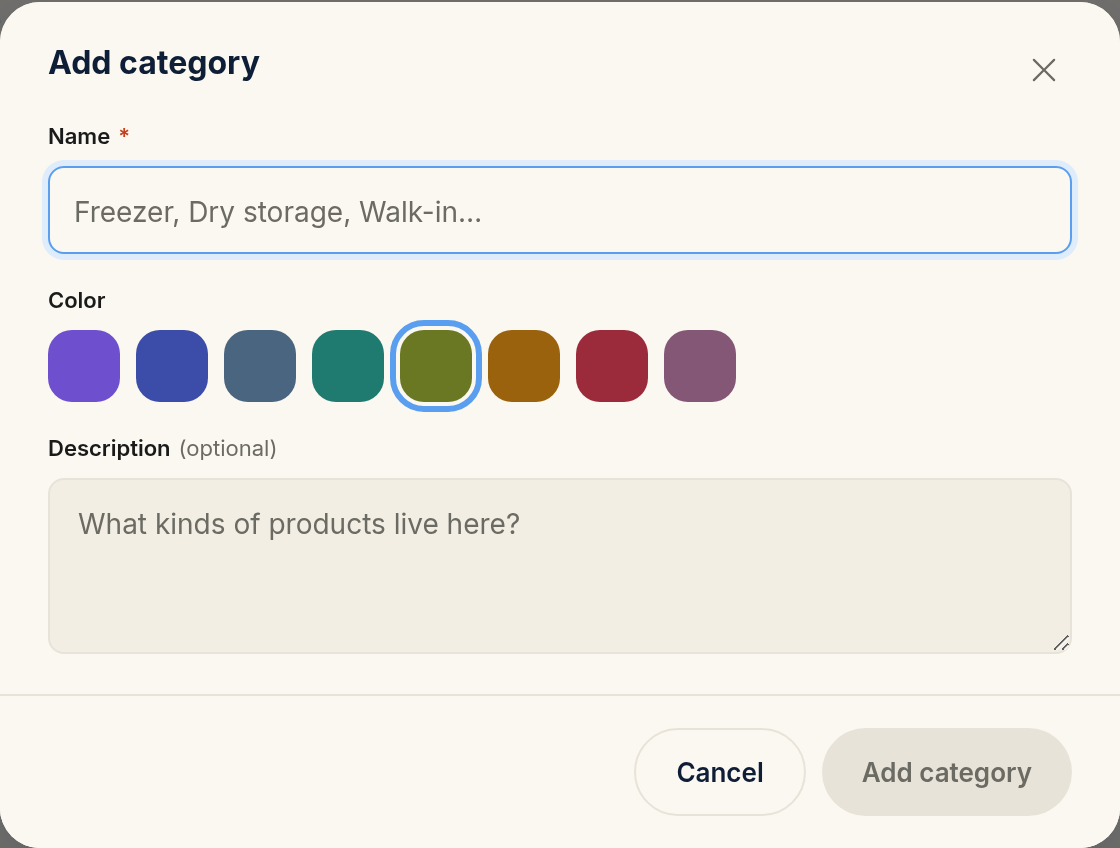
Name (required) — what you'd call the place out loud. Examples:
Walk-in Cooler,Freezer,Dry Storage,Bar.Color — a swatch used to color-code products and counts in the UI. Pick whatever helps your team scan quickly (blue for cold, red for hot, etc.).
Description (optional) — a one-liner like "Cold storage near the back door" if names alone aren't obvious.
Ordering matters
Drag categories to reorder them. The order you set here is the order they appear during inventory counts — so put them in the order you actually walk the kitchen. If you always start at the walk-in and end at the bar, drag the walk-in to the top.
How many categories should you have?
Three to six is the sweet spot for most restaurants. Too few (one giant "Kitchen" category) makes counts unwieldy. Too many (15 separate categories) turns each count into a parade.
A good rule: one category per physical area your staff walks to, not per shelf or per type of product.
What happens when you delete a category
Categories used by any product can't be hard-deleted. Either reassign those products to a different category first, or accept that the category will be hidden but kept around for historical reports.
Common mistakes
Modeling categories as product types
"Proteins" or "Cleaning Supplies" isn't a category — it's a tag. A category is a storage location. If two product types share a location, they share a category.
Splitting one walk-in into multiple categories
Don't create "Walk-in shelves 1–3" and "Walk-in shelves 4–6". You'll cross the same threshold to count both. One category per trip.
Forgetting to reorder
Default order is creation order. Drag categories into the actual walking order on day one — it's a 30-second fix that compounds for every future count.